

The quick version
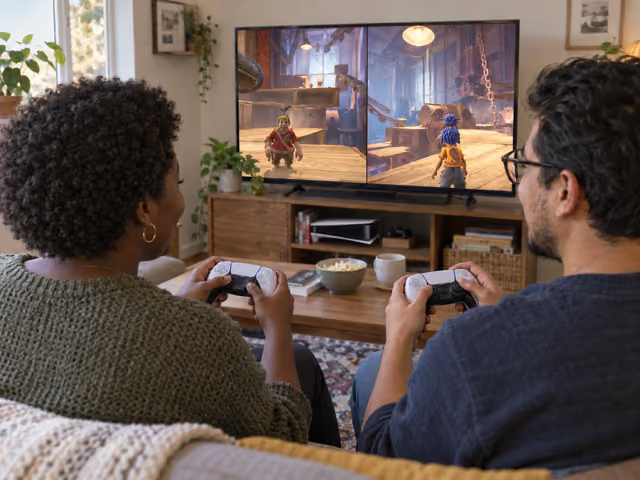
Sit together at one screen with one controller each. Choose Play Local, join both players and pick Cody and May. Start a new story with the save owner's permission or continue an existing one. Learn movement and camera controls, read each new ability prompt and solve the next obstacle together. Aim to finish the current chapter, then stop after saving before starting the next; either person can call an earlier break.
Saved on this device only — clearing your browser's cache or site data removes them (no account backup).
Prepare one screen for two players
This guide uses the PS5 edition of the full It Takes Two base game, installed and updated, in local split-screen story co-op. Use one PS5, one television or monitor, the console's power and display cables, two charged and paired DualSense controllers, a charging/pairing USB cable and two comfortable viewing positions. If your game entitlement needs a disc, keep the correct disc in a compatible drive. Test the full game and both controllers before meeting; install and entitlement checks belong in preparation.
Select the PS5 version deliberately if your library offers both PS4 and PS5. A PS4 DualShock 4 is not the controller for this PS5 setup. PC, Xbox and Switch can also offer two-player co-op, but their equipment and joining steps differ. This session uses one full game on one console; the separate online Friend's Pass invitation process is unnecessary for the second person at this screen.
Turn on both controllers and assign them to separate local console users when prompted. Launch the game with the save owner's usual user, choose Play Local and follow the displayed join prompt on each controller. Both players must be joined before starting. Choose one person as Cody and the other as May. For a new story, use New Game only with permission to change that save; otherwise choose Continue. Chapter Select is for a deliberate replay of unlocked content, rather than the default way to resume.
Agree that tonight ends at the current chapter's completion, before beginning the next. This is a host stopping suggestion, not a time limit or a promise to complete a chapter in one sitting. Either player may stop sooner. Check subtitles, game volume and each character's camera settings together; soft conversation should remain audible. The story contains arguments about separation and some upsetting fantasy events, so agree that either person can pause or leave a scene without needing to explain.
Learn your character before the next obstacle
On the default PS5 layout, move with the left stick and look with the right. Cross jumps, square dashes and triangle interacts. Pressing the right stick helps locate the other player. R1 is rope grapple; L2 and R2 operate chapter abilities when available. Read the current prompts: a new tool changes what those ability buttons do.
Start in a safe area by moving and turning the camera separately, then try the prompted jump and interaction. Each person should identify their character and view before moving on. Chase Camera Assistance and sensitivity have separate May and Cody settings; try assistance or slower camera movement if useful, then check how it feels. These options do not remove all aiming or timed platforming. Pause to review controls whenever needed.
Combine the two roles to move forward
Start with the visible problem
Both people play at the same time, each controlling one character; there is no turn order. Follow the opening tutorial or your saved scene's prompts. Look for the obstacle, a reachable interaction or a route forward. Say what you can see before one person runs ahead: your partner's view may reveal the missing piece.
Read the new ability together
When the game gives each character a tool, read both instructions and try them where it is safe. Ask what your action changes for the other person. One role may prepare a route while the other uses it; at another obstacle you may need to act together. Keep the assigned powers distinct instead of assuming both characters can do the same job.
Make one plan and test it
Say who will do which action and when: 'I will hold this; you try crossing' is clearer than 'go over there'. Follow the game's actual prompts and react to what changes. For simultaneous actions, agree a short countdown. If it fails, discuss one change and retry; a faster button press is not always the answer to a puzzle.
Follow the game's recovery
Falls, damage and failed sequences are resolved by the software. Follow any displayed recovery prompt and let it return a character or restart the encounter as required. Do not invent a lives limit, death penalty or individual score. Pause between attempts when someone wants to review the plan. Restarting a checkpoint deliberately may repeat progress, so ask before choosing it.
Move on together
Once the game opens the next route, regroup and follow it. New areas can change your equipment and controls again. Optional side activities can wait if you want to keep tonight focused on the story. Keep each controller with its player unless that person asks for help; explain an action before offering to take over.
Treat the opening movement and camera practice as learning. Each person names one action they can do, then you test one small obstacle together. There is no stopwatch, point target or competition between Cody and May.
Finish a chapter and check the saved return
The story's result is shared progress, not a total of player points. Completing a chapter is tonight's suggested finish; completing the game's final story is the campaign finish. There is no individual winner or campaign tie-break. A side activity's own displayed result does not decide who won the story.
At the transition to the next chapter, let any saving indicator finish, then use the pause/menu prompts to return to the main menu. Before closing the application, check that Continue returns you to the expected progress; allow any resumed scene to finish saving before exiting again. If either person stops earlier, reach a saved checkpoint if comfortable, wait for saving and do the same return check. If someone needs to stop immediately, stop: part of an unfinished encounter may need replaying.
Next time, launch with the same save owner's console user, join local play and use Continue. Use Chapter Select only when both intend to revisit an unlocked chapter or section. If the return is wrong, check the console user, game version and unlocked chapter choices before starting a new game. Do not overwrite or delete the save as a first remedy; use platform/EA support if progress remains missing. A saving icon is not a guarantee against every save fault.
Keep the partnership useful
Give each person room to learn the camera and buttons. The game includes timed jumps, aiming and action sequences as well as puzzles, so describe it honestly before inviting someone who wants a purely turn-based evening. Sit where both views and prompts are legible; adjust volume and subtitles together. Seated play does not establish suitability for every vision, motion or hand-control need.
When stuck, compare both views and ability prompts before guessing repeatedly. Ask 'What changes when you press that?' or 'Would you like a hint?' Avoid diagnosing the other person's skill after every failure. If frustration builds, pause, change the plan or call tonight's finish; one more attempt needs both people's agreement. Skip a cinematic only by agreement so one person does not miss the story.
The game decides whether an interaction succeeded and when a route unlocks. A failed input is not a reason to assign blame or add penalties. If a controller stops responding, pause, check its battery and assigned console user, reconnect and resume. If joining fails, confirm the full game, correct PS5 edition and two separate controllers/users before relaunching. Relaunch only after checking saving. Remote co-op, cloud streaming and mixed-platform troubleshooting are separate setups.
Already know the game?
Ideas & Twists
Choose a variation together before you start.
It Takes Two · See main rules
House variation · use an unlocked chapterSwap perspectives on a replay
Instead of advancing the story, choose one already unlocked chapter that both people want to revisit. In character selection, choose the opposite character from your previous attempt, so each person learns the other tools. Keep two local players, normal controls and the game's recovery. Finish that replayed chapter, let saving finish and check your return as in the main guide. Do not promise that replay preserves the previous Continue position; confirm the save owner's agreement before using Chapter Select. There are still no individual scores or winner.
It Takes Two · See main rules
House variation · slower discussion, ordinary actionPause-and-plan puzzle session
Keep the same two characters and choose the current story chapter. Before a new puzzle attempt, use the pause menu to discuss what each person sees and which action each will try, then resume to execute one agreed plan. Do not impose silence or a timer. The software's action sequences and timing stay unchanged; this does not create an easy mode or let you pause your way through every jump. Finish the current chapter or stop at an earlier saved point if either person asks, following the same return check.
It Takes Two · See main rules
Official access option · house chapter finishFirst-chapter trial
Replace the full game with the official It Takes Two Friend's Pass trial from the PlayStation Store on the same PS5. Complete installation and test that the first chapter opens in local co-op before inviting your partner. Keep two DualSense controllers, one screen and two joined players. Play the first chapter together and stop when the trial's available content ends, or earlier after saving if either person needs a break. Further chapters require a full-game entitlement; do not treat this trial as access to the whole campaign. It remains cooperative, with no personal score or tie-break.
About this guide
Publisher/platform sources establish the two-player design, PS5 controls, local co-op and trial boundary. One-chapter sessions, return checks and the first two variations are host suggestions. Community accounts inform patient coaching and save checks; they do not establish guaranteed difficulty, reliable save recovery or popularity. This guide covers the PS5 base campaign, not online play or another platform's setup.
- EA · It Takes Two overview and two-player design ↗
- PlayStation · couch co-op, progression and local pause ↗
- EA · PS5 controls ↗
- EA · PS5 camera settings ↗
- EA · PS5 game options and subtitles ↗
- EA Help · full-game and first-chapter Friend's Pass boundaries ↗
- PlayStation · PS5 controllers and pairing ↗
- r/PS5 · local co-op experiences and camera-learning difficulties ↗
- r/gamingsuggestions · differing experiences of timed action and camera use ↗
- r/ItTakesTwo · Continue, Chapter Select and save problems ↗
Ready for something different?
Find another game →